Product comparisons
ActionDrivenNote vs Sunsama
Plan the day. Keep what you learn along the way.
Both ActionDrivenNote and Sunsama organize work by day and let you write notes inside tasks. ActionDrivenNote centers the workflow on the task and its working note, with tags to revisit useful records later. Sunsama brings tasks and meetings into a daily plan, with time estimates, calendar timeboxing, and guided reviews. Choose the approach that best supports the way you plan and resume your work.
Choose ActionDrivenNote for
Plan daily actions and build working notes you can revisit by topic.
Choose Sunsama for
Fit tasks and meetings into a realistic day, with timeboxing and guided reviews.
At a glance
| What matters | ActionDrivenNote | Sunsama |
|---|---|---|
| Daily planning | Built-in action planning by day, with today and upcoming work together. | Build a daily task plan alongside meetings, estimate the work, and reserve calendar time for it. |
| Working notes | Each action opens into an editable note for ideas, drafts, and decisions. | Task notes support rich text for thoughts and progress, alongside planned and actual time fields. |
| Planning emphasis | Choose a day for the action, then keep the context and next steps with the work. | See how tasks fit around meetings. Timebox work on an external calendar or the built-in Sunsama calendar. |
| Next steps | Create child actions inside the working note and track their completion. | Break tasks into subtasks that can be completed and timed. |
| After completion | Completing an action keeps its note. Tags help you return to useful records across active and completed work. | Revisit completed work in past daily lists and review the week’s work and time allocation. Weekly reviews also include written reflections. |
| Organization | Use tags to collect related actions and notes, including nested topic tags. | Categorize tasks with channels and group channels into contexts such as work and personal life. |
| Bringing work together | Keep the task, its working note, and linked follow-up actions together in ActionDrivenNote. | Import work from connected tools, such as Asana tasks, and plan it alongside calendar meetings. |
| Getting started free | 100 items per account, including completed items and trash; attachments up to 5 MB per file. | A 14-day trial gives access to the Pro features. Continued workspace access after the trial requires a paid subscription. |
The same work, two approaches
Take an onboarding rollout: plan the work, write the proposal, and return to the record after completion.
-
Plan the rollout
ActionDrivenNoteCreate an action for the onboarding rollout and place it on the day you will work on it.
SunsamaCreate or import the rollout task into today’s plan. Estimate the time and place a working session around your meetings.
-
Work through the details
ActionDrivenNoteWrite observations and the rollout proposal in the action. Add follow-up actions for user trials and copy checks.
SunsamaWrite the proposal in task notes and add subtasks for trials and copy checks. Track time as you work and adjust the remaining plan.
-
Return to the record
ActionDrivenNoteComplete the action when the work is done. Keep its topic tag so the note remains part of the records you can revisit.
SunsamaComplete the task and return to it in the past day’s list. During weekly review, look at the work and time spent, then write a reflection if useful.
Inside ActionDrivenNote
The plan and the thinking live together.
This ActionDrivenNote demo note holds the rollout plan, observations, and linked follow-up actions. Open the action to pick up the work; tag the useful record to return to it later.
See how to write a working note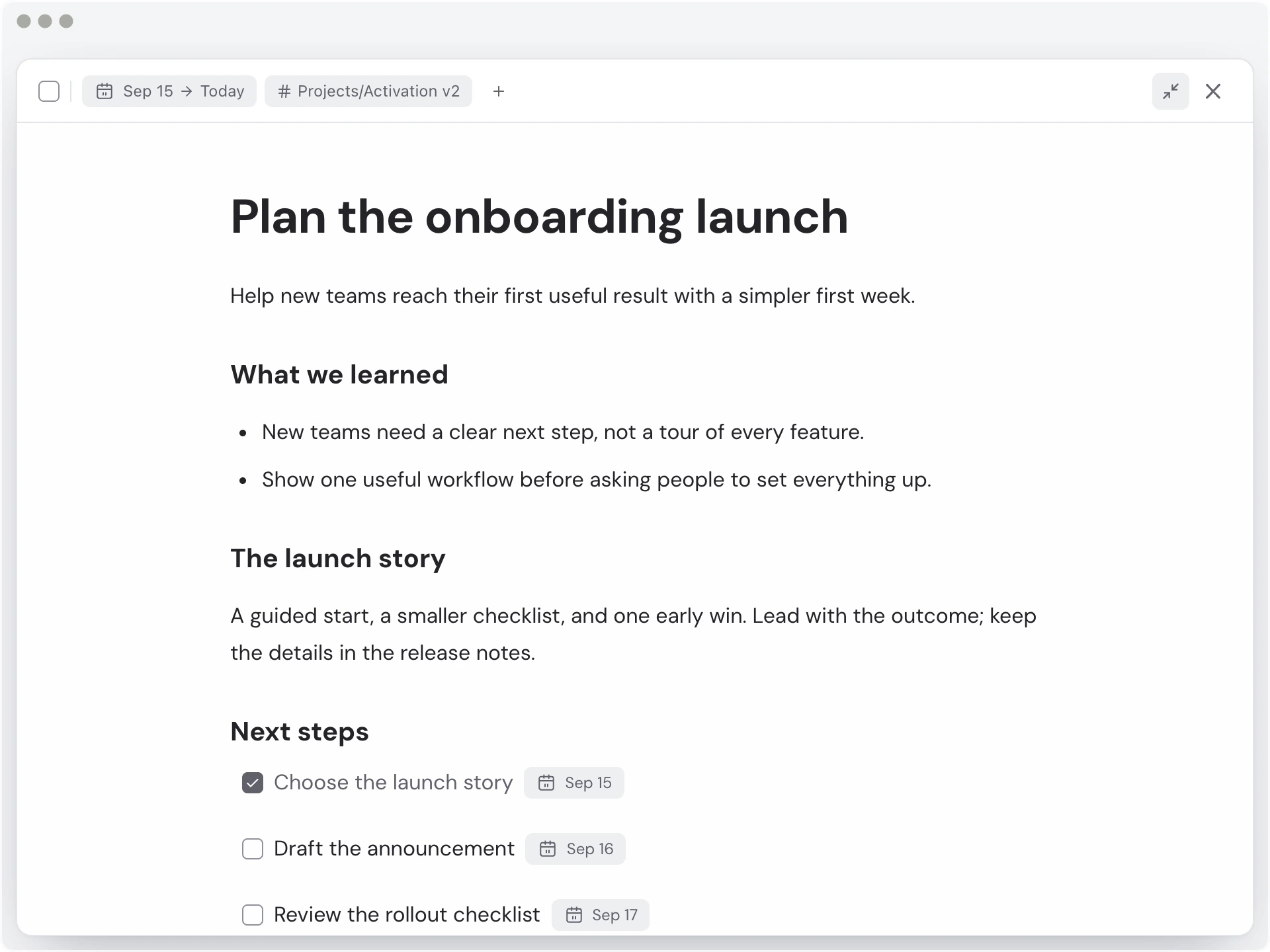
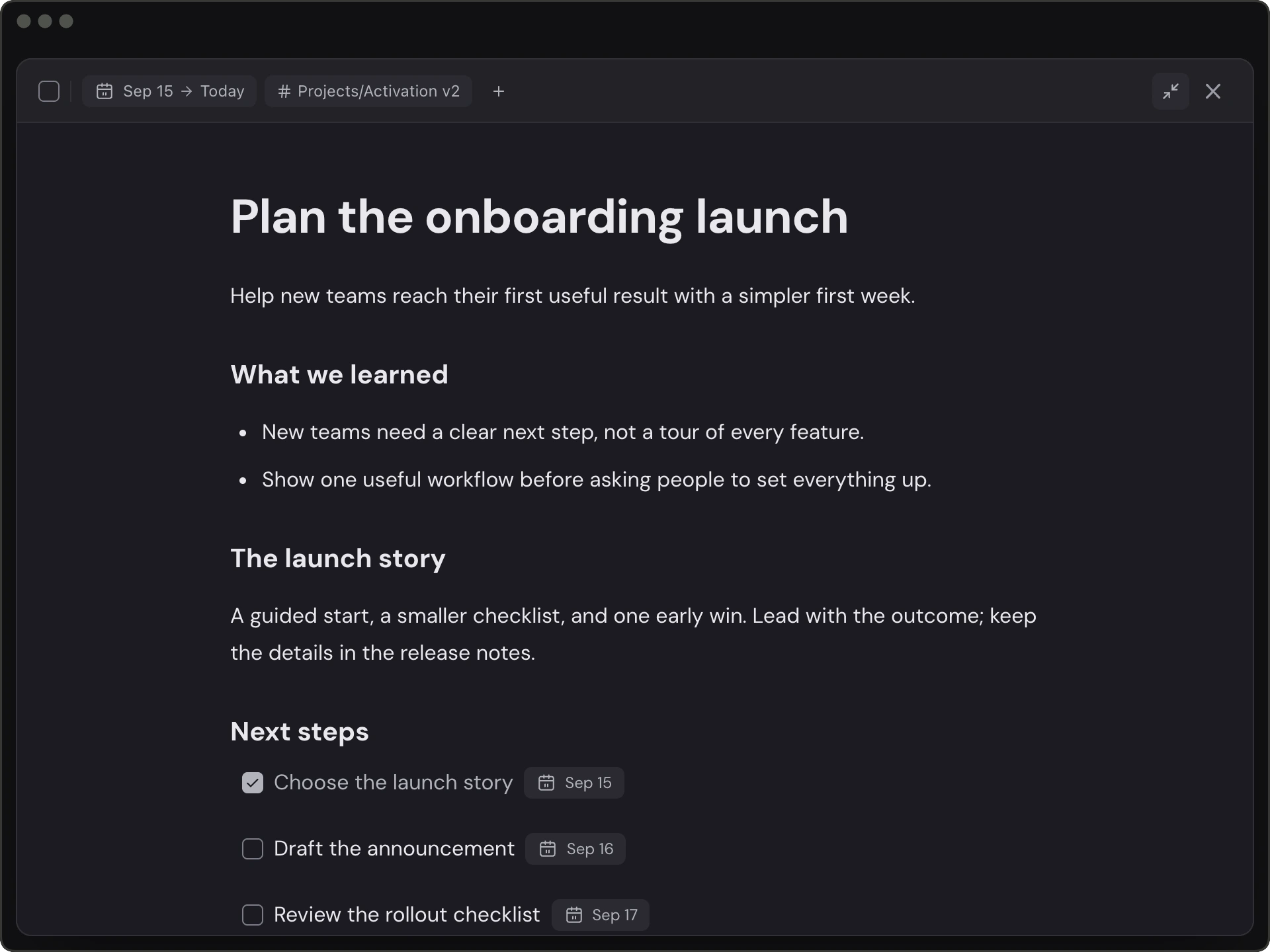
ActionDrivenNote demo workspace · illustrative onboarding rollout
Find your fit
Both tools keep written context with tasks. Try ActionDrivenNote if you want a daily action list that grows into topic-organized working notes. Consider Sunsama if your main need is to fit tasks around meetings, estimate and track time, and follow a planning and review routine. Test one real workday to see which approach you want to return to.
Choose ActionDrivenNote for
- You want to write proposals, research, and decisions inside the work you are tracking.
- You revisit useful working records by topic after completion.
- You want to begin with a free plan and a simple daily action workflow.
Choose Sunsama for
- Your daily plan needs to account for meetings and available calendar time.
- You estimate and track task time to keep the day realistic.
- You value guided planning, weekly reviews, and imports from other work tools.
Questions before you choose
Can I write notes and create subtasks in Sunsama?
Yes. Sunsama tasks have rich text notes and subtasks that can be timed and completed. ActionDrivenNote also combines tasks and notes, with tags for keeping useful records accessible by topic. The difference is in the surrounding planning and organization workflow.
Can I revisit completed work in Sunsama?
Yes. Past daily lists show completed tasks, and weekly review lets you revisit the work and time allocation and write a reflection. ActionDrivenNote keeps the completed action’s note and uses topic tags to help you return to useful records across different days.
Do both tools offer an ongoing free plan?
ActionDrivenNote has a free plan with 100 items per account, including completed and trashed items, and attachments up to 5 MB per file. Sunsama offers a 14-day trial; continued workspace access requires a paid subscription after the trial ends.
Try it with one real task.
Write the context, add the next step, and see whether you can pick up the work tomorrow.
Start for free