Start with the next move
Create the action first. You do not need to predict the final shape of the note or choose a permanent location for it.
Tasks and notes
A task manager with a full writing space inside every action, so the work and the context behind it never drift apart.
Start for free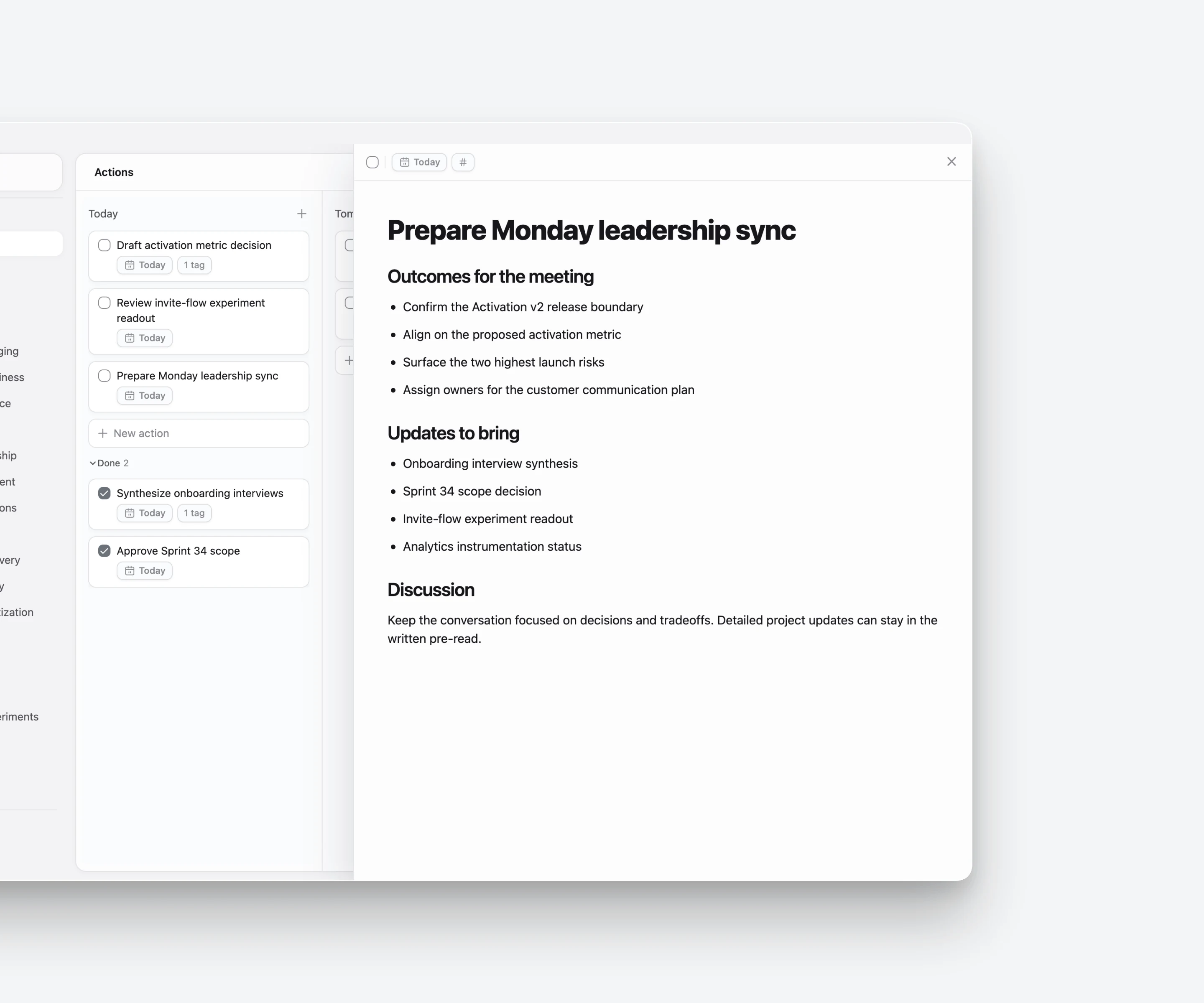
One working context
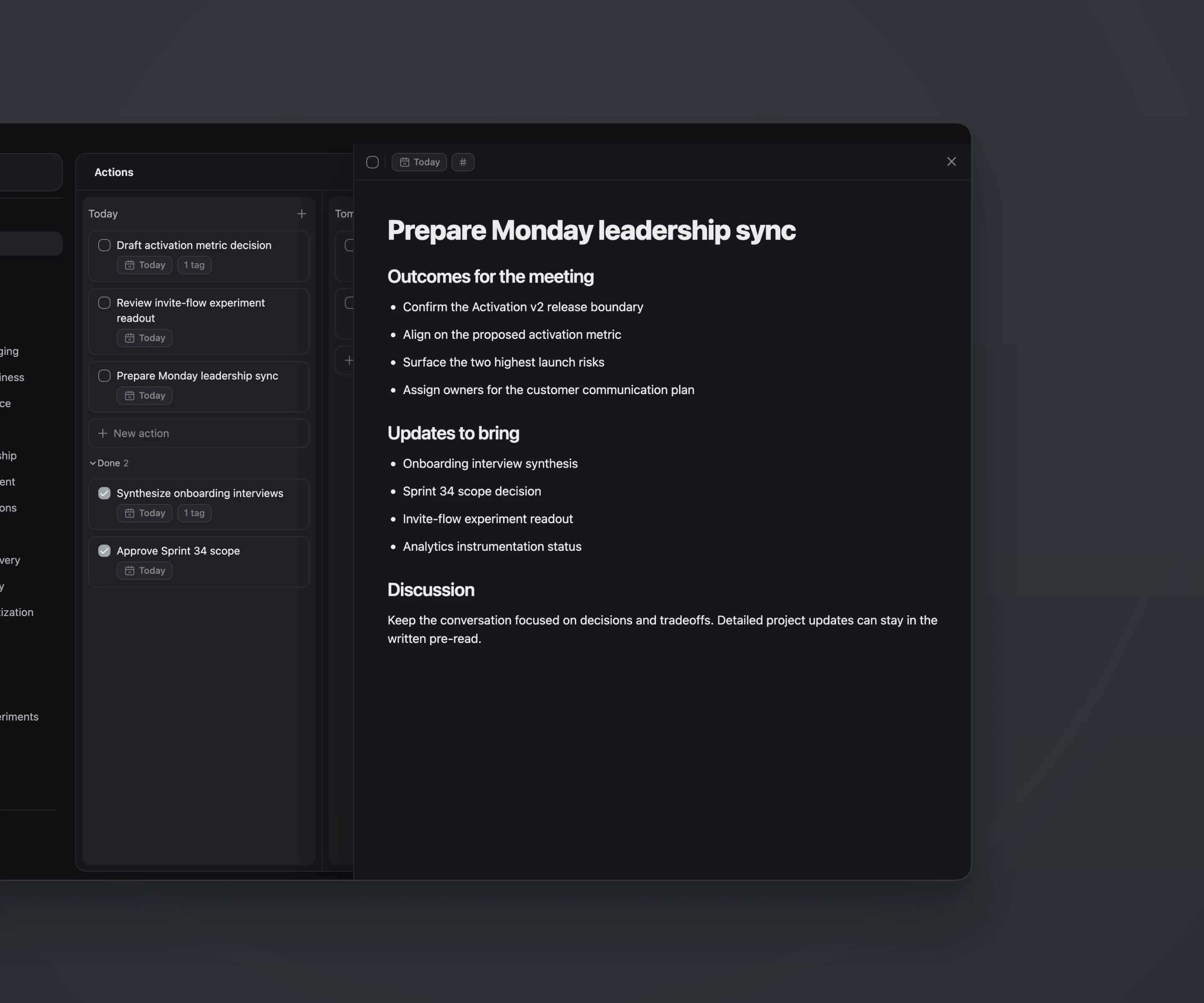
Research, drafts, links, decisions, and half-formed ideas tend to appear while you are doing something—not before. Give that thinking a home inside the action and you no longer have to remember which note, document, or tab contains the context.
Create the action first. You do not need to predict the final shape of the note or choose a permanent location for it.
Every action opens into a focused editor where you can outline, write, collect evidence, and shape the work as it develops.
The task, its child actions, tags, and working notes remain together, reducing the switching and searching that interrupts progress.
The editor supports the different forms that working context takes, from a two-line decision to a long draft with supporting material.
Writing
Use headings, paragraphs, bulleted and numbered lists, quotes, dividers, and inline formatting to shape the note.
Making
Keep structured information and code blocks in the same document when the work needs more than prose.
Reference
Add supporting material beside the action instead of leaving it scattered across browser tabs and separate storage.
Planning
Capture a newly discovered next step while writing, without leaving the context where it became clear.
Context
Connect an action to the topics that make it useful later, while its meaning is still fresh.
Continuity
Finishing an action does not flatten it into a checked line. The thinking created along the way can remain useful.
Example · Prepare a product launch
The action begins as “Prepare launch brief.” As you work, it collects positioning ideas, competitor links, draft copy, open questions, and the next actions that emerge.
Before
The task lives in one app, research in browser tabs, the draft in a document, and decisions in a message thread.
With ActionDrivenNote
The action becomes the working surface. The brief, evidence, decisions, and follow-up actions stay together from first thought to completion.
Questions
No. Each action has a full editor designed for substantial working notes, including formatted text, lists, code, tables, images, files, and links.
Yes. The editor supports action blocks, so a next step discovered in the note can become an action without breaking your flow.
No. Completion changes the action’s planning state; it does not erase the document. Tag work worth keeping so it remains easy to revisit as knowledge.
Blog
See what belongs in a task note and how to avoid another field-maintenance ritual.
→Blog
Follow sources, developing ideas, drafts, and next actions through one working context.
→Continue exploring